How I Use AI to Create Product Photos for Sellers in Uganda
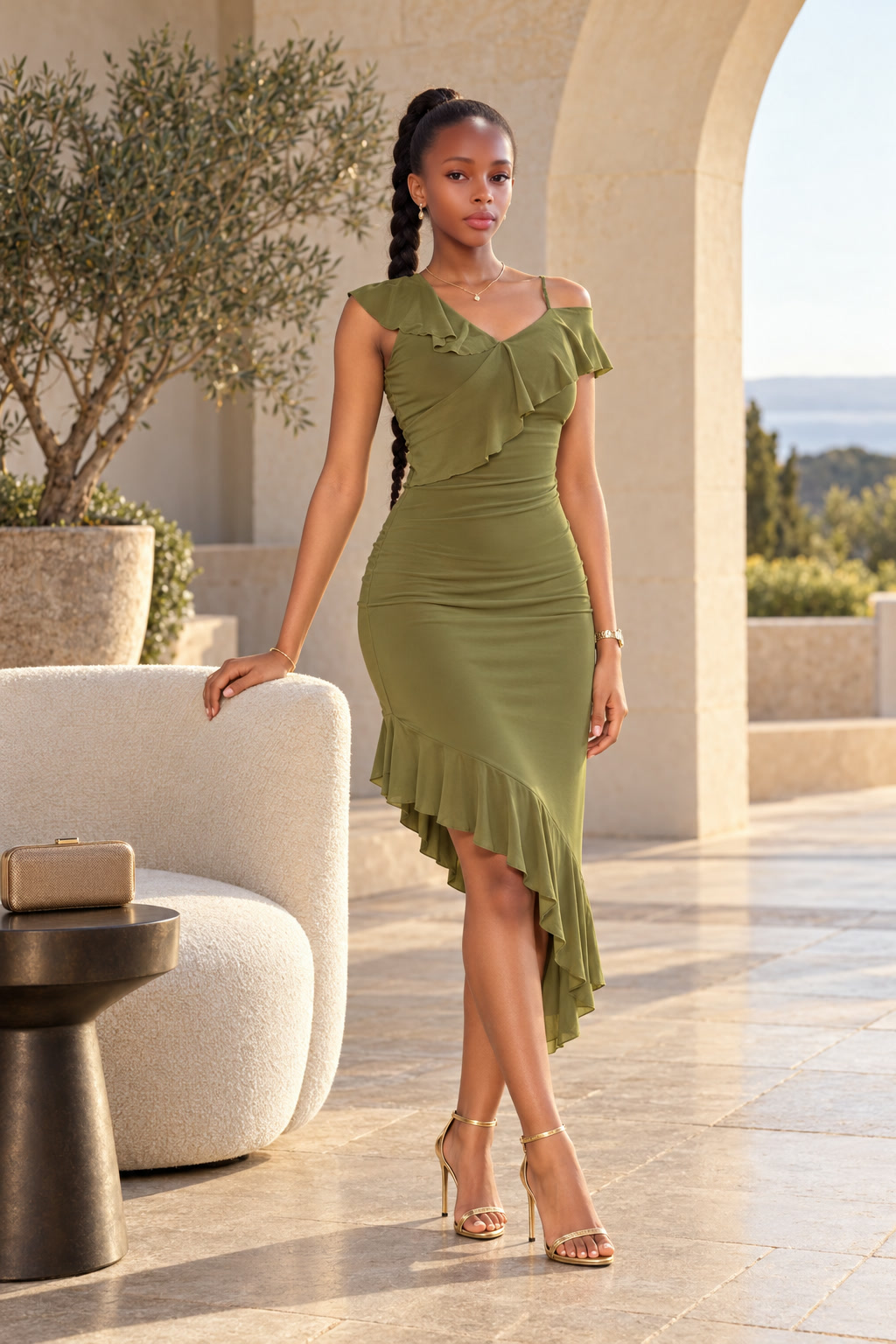
About six months ago, I started testing ten ideas for making money with AI in Uganda. I lost money on most of them. Four worked, and one of the easiest to start was creating product photographs for people who already sell things.
For now, the two customer routes I would focus on are Jiji sellers and shops in malls in town. Jiji is the easiest starting point I have found. The sellers are already there, their products are visible, and I can see where the pictures could look better.
I have made the article free. I am also sharing the actual photographs and prompts from four completed fashion collections. You can read everything here without an account. Sign in when you want to save and download the free sample pack.
What I actually sell
A shop can have good clothes but ordinary photographs. Maybe the owner took the pictures, or someone put on the clothes and stood in the shop. The product is there, but the pictures do not present it well.
I use the supplied pictures to produce professional-looking product photographs with AI. For clothes, that can mean fashion-style images showing someone wearing the garment in a different setting, with better presentation.
The starting pictures do not need to look like a finished campaign. The person wearing the clothes does not have to be a professional model. I prefer having someone who can wear them, and I also take detailed photographs of the actual garment.
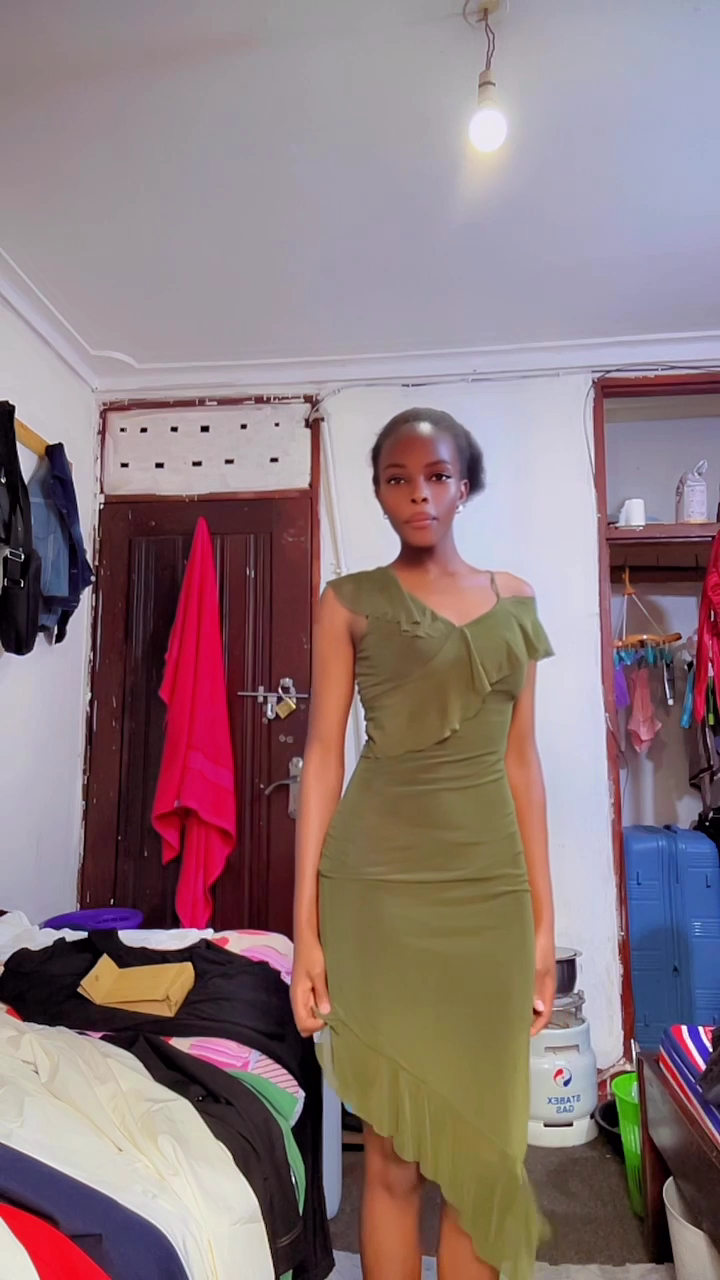
Some of the examples below started from frames extracted from a customer's video. The download already includes those frames, so you do not need the videos to look through the examples.
The customer cares about the final pictures they can use. I have taken poor starting pictures and produced images that looked so different that even the shop owner could hardly believe they came from the material they gave me. One customer paid outright after seeing the result.
A supplied reference and the finished photograph
This is a frame from the original dress video, alongside one of the final olive-dress images.

How I find customers on Jiji
I look through the products and their photographs. I am looking for a seller whose pictures do not show the product well. These can be people selling clothes, phones, computers, speakers, or other products that need better presentation.
Then I make a demonstration using one of the seller's products and contact them with the example. I explain that I can do the same kind of work for the rest of their products.
Showing a result is much easier than asking someone to imagine it. The seller can see their own product presented differently.
I am upfront that I use AI. I do not pretend the work was produced another way. Some people try it themselves and come back when they find they need help.
I also checked directly with Jiji about its original-photo requirement. The clarification I received is that AI-generated images are allowed; the rule is about reusing photographs from another listing or online platform.
How I approach shops in town malls
This route takes more legwork. I go with examples ready on my phone and show the shop owner what I can produce for their products.
Clothing sellers are everywhere. Many already have WhatsApp groups and Instagram accounts where they show their stock and try to get more customers. They need photographs they can share. They can also show the pictures in the shop so customers can see what the clothes look like when someone wears them.
I explain the work, show the examples, and discuss what the shop needs. If the owner gives me garment pictures, I organize those with the other reference material before producing the images.
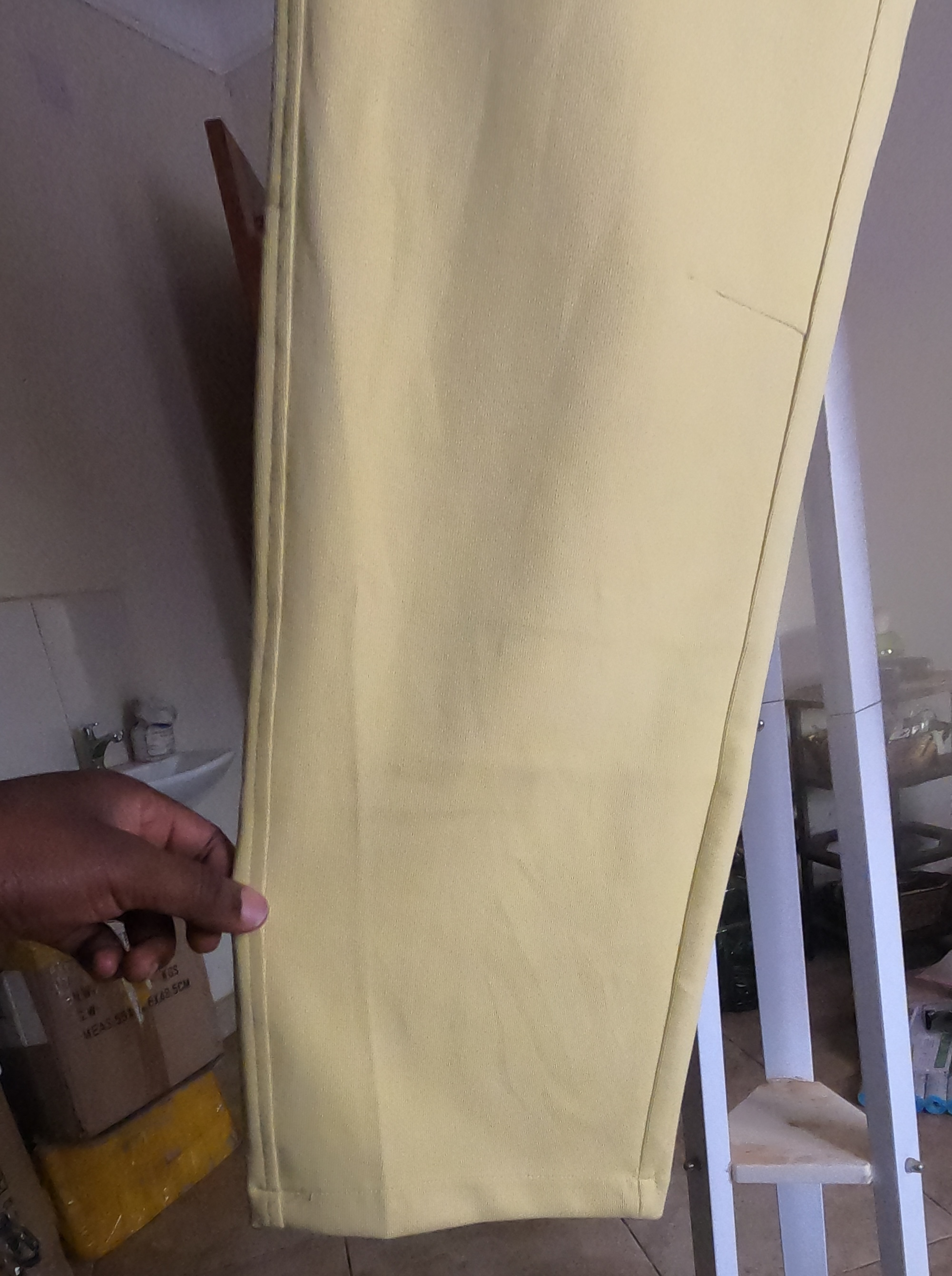
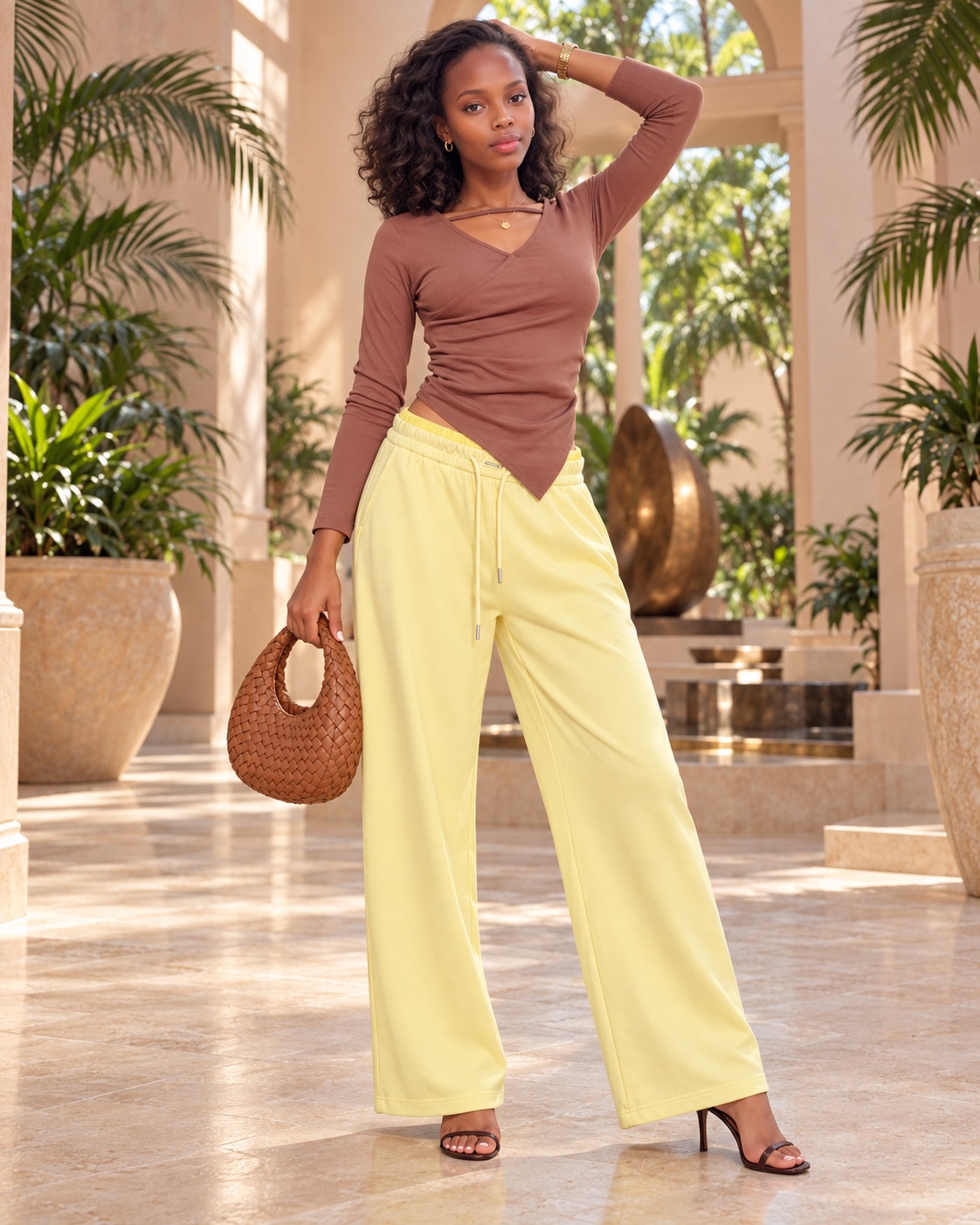
Here is another example from the yellow-trouser collection. The product photograph provides detail about the actual trousers; the finished image presents the garment as part of a styled outfit.
What I have charged
In the work I described, I charged 5,000 shillings per clothing product, supplying five photographs for that price. Ten products made a 50,000-shilling order. A customer might have 40 or 50 products, and some do about ten at a time.
For other product work sourced through Jiji, I described charging 2,000 shillings per product. These are examples from my experience, rather than a price everyone must use.
You still need to account for the tools, internet, time, and any shop visits involved. The value of the order is not automatically your profit.
The work from start to finish
My basic process is to find a suitable seller, show an example, agree the work, collect the pictures and product details, create the images, make the changes needed, and deliver the final pictures.
I prepare the source material in folders so I can keep the products and references organized. With clothing, I need enough detail to understand the garment I am presenting. When the result needs changing, I give the AI the correction and work on the image again.
The sample pack includes the original prompts and the revision prompts used for selected final pictures. A revision can be a framing correction to a picture that has already been generated. That is why I have included an index showing which prompt goes with which finished JPG.
AI helps with producing the images. You still have to organize the work and talk to customers. You need a suitable device, internet, access to an AI image tool, and a willingness to approach people. Visiting shops also means planning for transport.
Download my actual samples and prompts for free
The AI Photography Ready to Start Kit contains:
- 33 finished JPG photographs covering seven product variants.
- Four collections: dresses, flo-trouser, flo-s-pants, and s-pants.
- Supplied still photographs and reference images extracted from the videos.
- The generation and revision prompts.
- An index connecting each final picture to its prompts.
It is a ZIP file of approximately 33 MB. The final JPGs are the existing finished exports. There is no need to download the source videos.
The download is free. Sign in or create an account to add it to Purchases, where you can return for the files. There is no payment step.
You can also join our free WhatsApp group of fellow online business founders to share ideas and findings, ask questions, and get support. Group access is ongoing and has no membership charge.
Use the download and group buttons below to get started.
AI Photography Ready to Start Kit — Free Samples and Prompts
Download 33 finished JPG photographs across seven product variants, the supplied still photographs, extracted reference images, and the generation and revision prompts.
Includes an index connecting the finished images to their prompts. Four collections: dresses, flo-trouser, flo-s-pants and s-pants. ZIP download, approximately 33 MB. Source videos are not included.
No payment required. Saved in Purchases for easy access.
AI Business Founders Uganda
Share ideas, findings and questions with fellow online business founders. Free to join after sign-in.
Join the WhatsApp group